So for anyone else who may end up having this question, things actually work out pretty easily. It is very easy to hook up a custom shader to a Spine SkeletonRenderer and render it however you’d like. Example of my rendering code for a Spine 2D object in the 3D world (pulled primarily from the Spine runtime example code):
if ( skeletonRenderer.Effect is BasicEffect )
{
	((BasicEffect)skeletonRenderer.Effect).Projection = projMat;
	((BasicEffect)skeletonRenderer.Effect).View = viewMat;
}
else
{
	skeletonRenderer.Effect.Parameters["World"].SetValue( Matrix.CreateScale( 0.2f, 0.2f, 0.2f ) * Matrix.CreateTranslation( spineCharPos ) );
	skeletonRenderer.Effect.Parameters["Projection"].SetValue( projMat );
	skeletonRenderer.Effect.Parameters["View"].SetValue( viewMat );
}
skeletonRenderer.Begin();
skeletonRenderer.Draw( skeleton );
skeletonRenderer.End();
Here’s a picture of it in action.
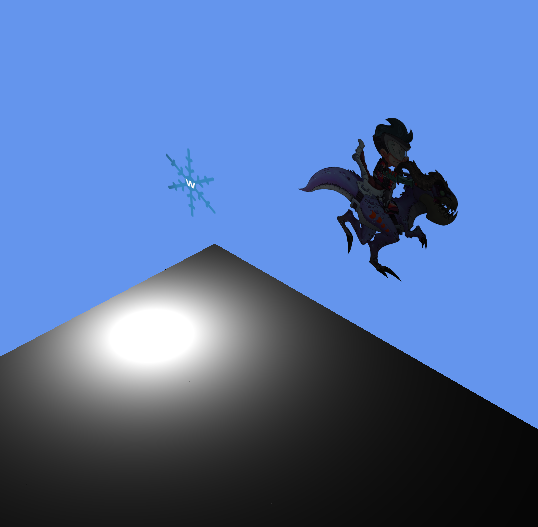
You can see the really simple lighting effect from the point light, and though you can’t tell from the screenshot it is animating properly. All that needs done (aside from polishing things up of course) is billboarding the object properly, but that should be easy enough to get working. I just currently have my 2D objects rendering along that plane so I can rotate the camera and easily see how things affect them versus the 3D ground object differently.
So yeah - in a nutshell everything works well and Spine is greatly customizable for the type of game you’re making.