Ehi Ravendarke, thank you!! 
Ok, this is the bloom effect working on XNA/DirectX

This is the same shader on Monogame/OpenGL
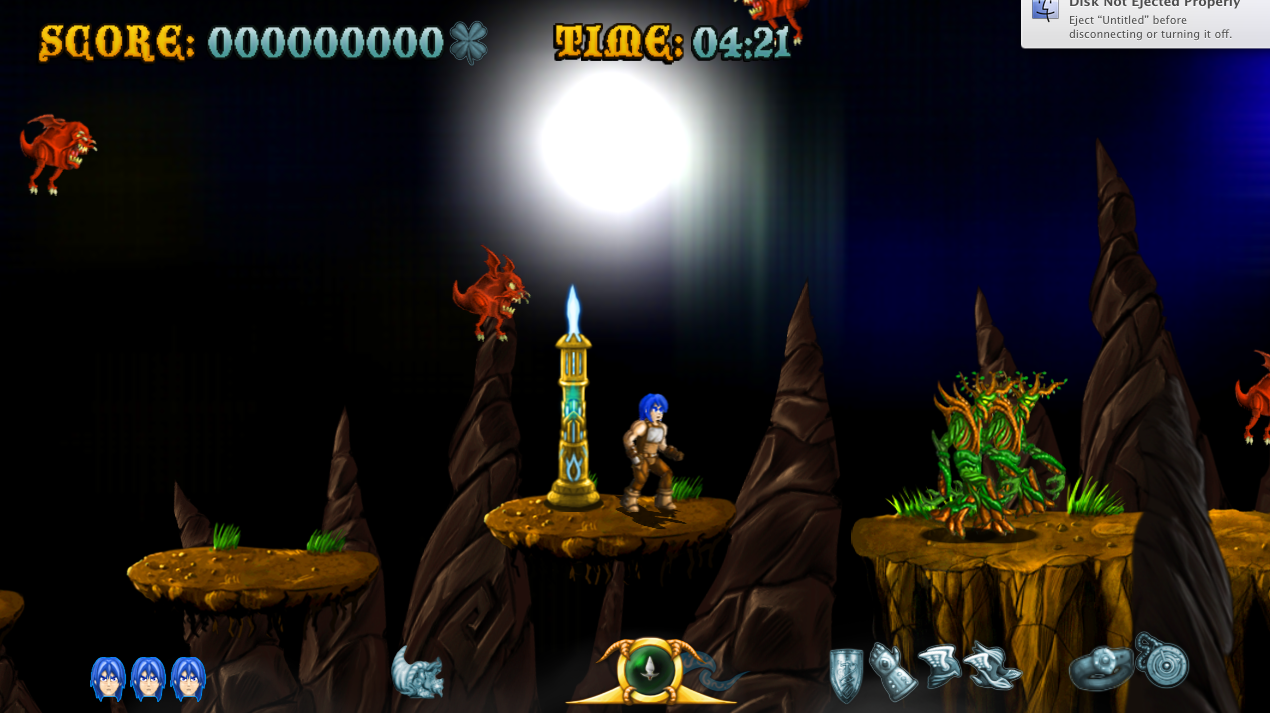
As you can see, it show only the shader effect but culls all the textures.
The fx shaders are like that:
BloomExtract:
// Pixel shader extracts the brighter areas of an image.
// This is the first step in applying a bloom postprocess.

sampler TextureSampler : register(s0);

float BloomThreshold;


float4 PixelShaderFunction(float2 texCoord : TEXCOORD0) : COLOR0
{
    // Look up the original image color.
    float4 c = tex2D(TextureSampler, texCoord);

    // Adjust it to keep only values brighter than the specified threshold.
    return saturate((c - BloomThreshold) / (1 - BloomThreshold));
}


technique BloomExtract
{
    pass Pass1
    {
        PixelShader = compile ps_2_0 PixelShaderFunction();
    }
}
BloomCombine:
// Pixel shader combines the bloom image with the original
// scene, using tweakable intensity levels and saturation.
// This is the final step in applying a bloom postprocess.

sampler BloomSampler : register(s0);
sampler BaseSampler : register(s1);

float BloomIntensity;
float BaseIntensity;

float BloomSaturation;
float BaseSaturation;


// Helper for modifying the saturation of a color.
float4 AdjustSaturation(float4 color, float saturation)
{
    // The constants 0.3, 0.59, and 0.11 are chosen because the
    // human eye is more sensitive to green light, and less to blue.
    float grey = dot(color, float3(0.3, 0.59, 0.11));

    return lerp(grey, color, saturation);
}


float4 PixelShaderFunction(float2 texCoord : TEXCOORD0) : COLOR0
{
    // Look up the bloom and original base image colors.
    float4 bloom = tex2D(BloomSampler, texCoord);
    float4 base = tex2D(BaseSampler, texCoord);

    // Adjust color saturation and intensity.
    bloom = AdjustSaturation(bloom, BloomSaturation) * BloomIntensity;
    base = AdjustSaturation(base, BaseSaturation) * BaseIntensity;

    // Darken down the base image in areas where there is a lot of bloom,
    // to prevent things looking excessively burned-out.
    base *= (1 - saturate(bloom));

    // Combine the two images.
    return base + bloom;
}


technique BloomCombine
{
    pass Pass1
    {
        PixelShader = compile ps_2_0 PixelShaderFunction();
    }
}
Please note that i already tried to change the main function parameters as
(float4 pos : S_POSITION, float4 color : COLOR0, float2 texCoords : TEXCOORD0) : S_TARGET_OUTPUT
I tried few parameters combination without any result.
I’m using thi shader in the same way as it’s used in the microsoft sample (so i have two rendertargets that swaps between each other).
Thank you so much for your help 