In Visual Studio, right-click on the Content.mgcd file, select “Open with…”;
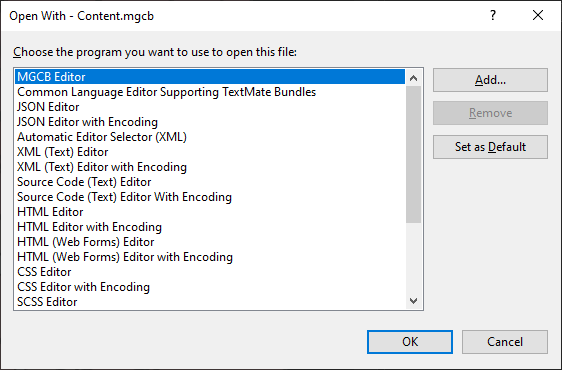
Then click “Add…” button;
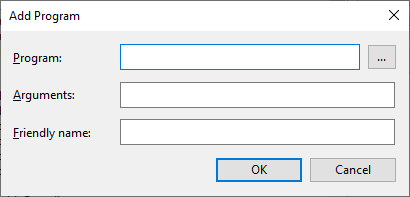
In Programs, go get your mgcb-editor-…
- For 3.8.1, it must be:
C:\Users\username\.nuget\packages\dotnet-mgcb-editor-windows\3.8.1.303\tools\net6.0\any\mgcb-editor-windows-data\mgcb-editor-windows.exe - For 3.8.0, it must be:
C:\Users\username\.dotnet\tools.store\dotnet-mgcb-editor\3.8.0.1641\dotnet-mgcb-editor\3.8.0.1641\tools\netcoreapp3.1\any\mgcb-editor-wpf.exe
Click OK, and Set as Default.
It should work (don’t care about the icon … it’s just an icon  )
)