If your render target is stretched onto the back buffer the text will blur.
Typically you don’t want to stretch fonts at all.
Hinted fon’ts work best with spritebatch especially at large resolutions.
You can open a spritefont in your content folder with for example note pad or visual studio, scrolling down you will see that you can change the font size as well.
I suggest you try simply drawing text last without drawing it to a rendertarget first and without changing its size other then by changing the font size in the spritefont file.
I also suggest trying to load a well hinted font to test the difference which is probably installed on your computer already.
the 7.0 ones are probably also well hinted.
Monogame under the hood uses a true type lib so it is gear best for well hinted fonts instead of bitmaps.
If you are primarily using your own bitmaps you might want to check out spritefont plus
Which is better in my opinion at specifically rasterizing bitmap fonts and were serious scaling is requisite.
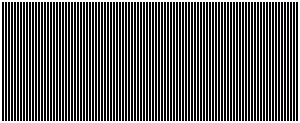
To understand quickly what a well hinted font means in a practical way take a stare.
Understand that stretching or skewing this can ruin the effect.