I’m trying to migrate the Vulkan backend to be able to take advantage of native shader compiling on both Mac and Linux. I’d like to avoid installing external tools for this, in no small part because of Wine’s impending removal on MacOS (related MonoGame issue; I know that issue is talking about refactoring shader compilation code in MonoGame, but even if we get native OpenGL shader compilation, I don’t think it’ll come before September 1st).
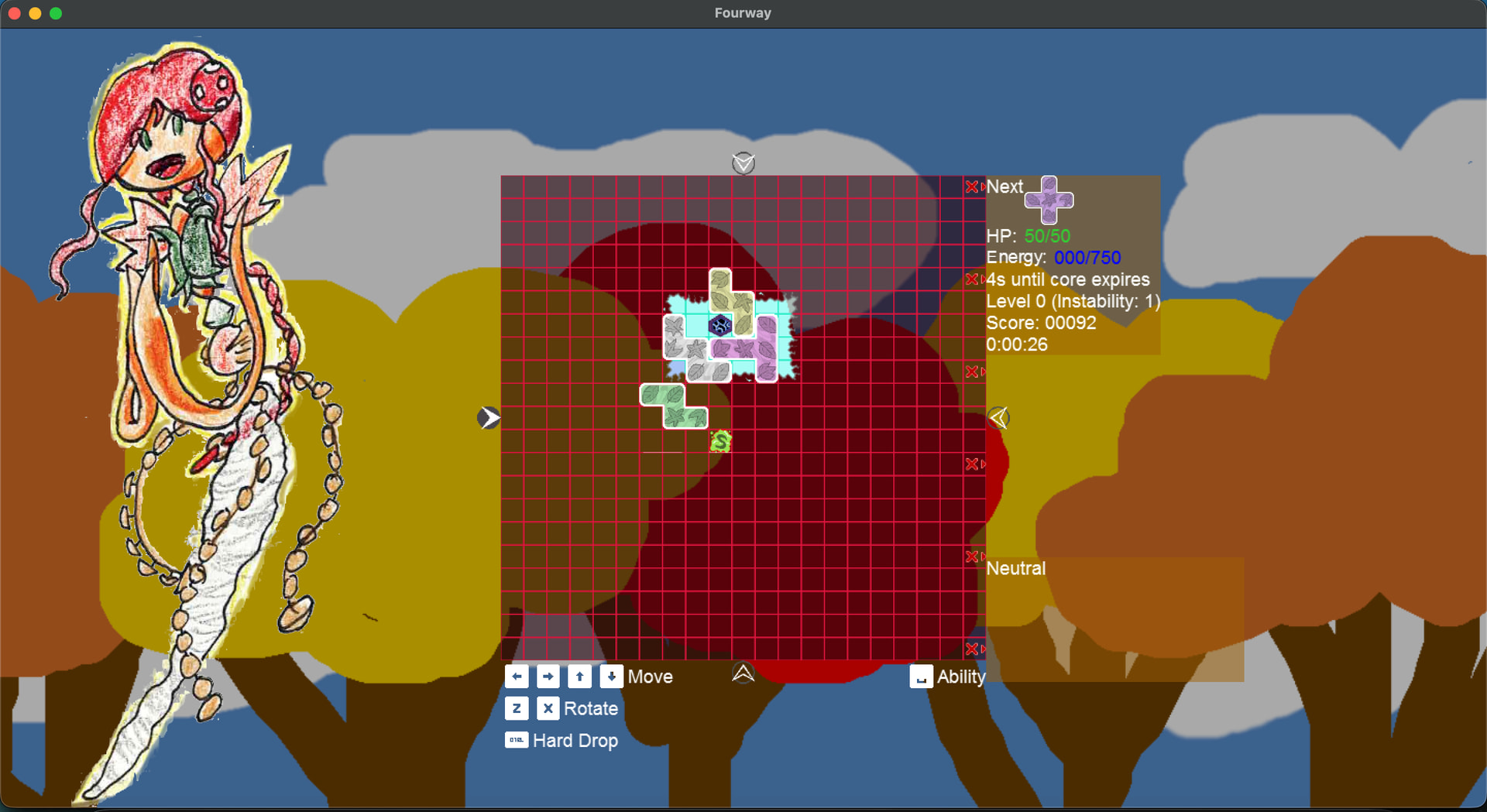
Anyway, this is what I’m seeing in OpenGL:
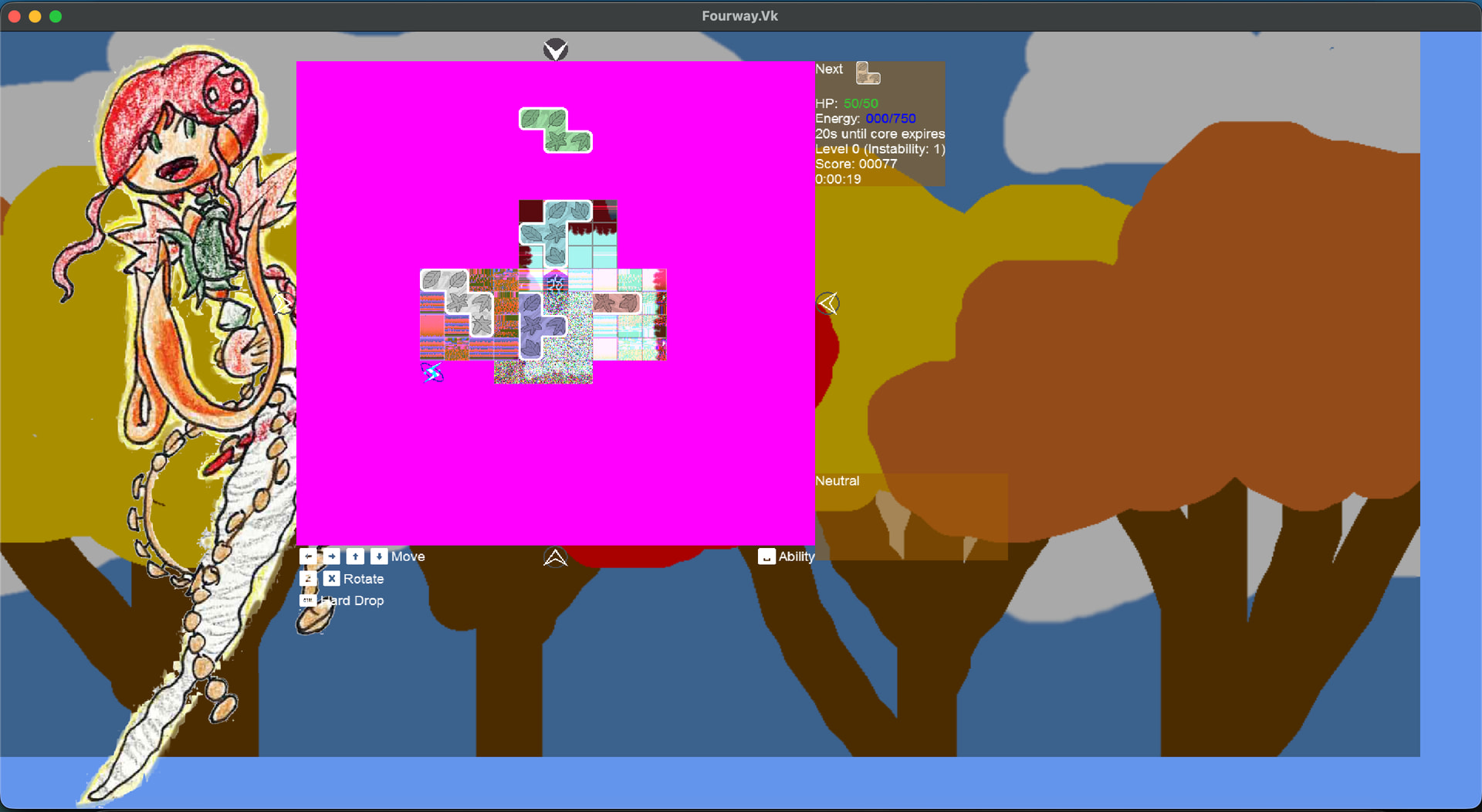
And this is what I’m seeing with Vulkan:
And this gets printed out in the log:
Vulkan instance version: 1.2.296
Selected GPU: Apple M1
Supported Vulkan API version: 1.2.296
VK_EXT_custom_border_color is not supported by this driver!
VK_GOOGLE_hlsl_functionality1 is not supported by this driver!
VK_GOOGLE_user_type is not supported by this driver!
Now, I have seen some Vulkan-related issues on GitHub, but I’m not sure they’re exactly the same problem. For example, #9425 is only reported for Windows and #9430 is about swapchain and resizing issues (I think that might be why there’s a border of cornflower blue on my game).
I’ve tested the game on Linux as well, and while there were other issues, they weren’t this bad. That leads me to think that I have something set up wrong on Mac, and that it’s not (entirely) an issue with my rendering code.
For what it’s worth, that pink rectangle (board, in-game) is three RenderTargets overlaid on each other target before being drawn on the screen. I use a lot of render targets because there’s a lot of stuff in the game that doesn’t change a lot, and re-rendering it each frame could prove expensive. I do have RenderTargetUsage.PreserveContents set on the topmost render target, which is where I think a lot of the artifacts are coming from. While Vulkan visual artifacts when switching RenderTargets · Issue #9425 · MonoGame/MonoGame · GitHub reports a similar issue, running that project doesn’t yield the same errors that the reporter is seeing.